

Find out what’s wrong with a website — by asking.
Raptor crawls a site from your own machine, runs 128 technical SEO checks and tells you what to fix first. Ask Claude, run it in a terminal, or send the report to a client.
Free and MIT-licensed. Builds from source with Rust; not on Homebrew or crates.io yet.
You
Our waterproofs traffic fell off a cliff after last month's site migration. Crawl http://127.0.0.1:8006/ and tell me what's going on. Keep it short.
Claude
Crawl is nearly done (21 of ~23 pages, all 200 OK so far). Waiting for it to finish, then I'll pull the findings.
The migration left every waterproofs page either hidden from Google or pointing it at a dead URL. The crawl covered 27 pages and only 1 returned an error, but that error sits right in the waterproofs section.
What's breaking it:
/waterproofs/(the category page) is set to "don't index." The page's HTML saysindex, follow, but the server also sends anX-Robots-Tag: noindexheader. When the two disagree, Google follows the stricter one and drops the page. This is probably a server or CDN rule carried over from staging during the migration.- The Storm Shell page tells Google its real address is a dead page.
/waterproofs/storm-shell/loads fine, but its canonical tag (the line naming the page's preferred address) points to/products/storm-shell, which returns a 404. That looks like the template still uses the old URL pattern. Google may leave both addresses out of results, which would hurt most if this is your best-selling jacket. - Ridge Trousers looks like an error page to Google.
/waterproofs/ridge-trousers/returns 200 but its heading says "This product is no longer available" and it has 44 words of text. Google will treat it as a "soft 404" and drop it.
Knock-on issues:
- The sitemap still lists
/waterproofs/and the dead/products/storm-shell. /journal/storm-shell-review/links to the 404 URL./shop/sale.htmlredirects more than once before landing.
Fixes, in order:
- Remove the
noindexheader for/waterproofs/. - Point the Storm Shell canonical at its own address,
/waterproofs/storm-shell/. - Add a 301 redirect from
/products/storm-shell(and probably every old/products/*URL) to the new address. That also brings back any links and authority the old URLs had. - Either give Ridge Trousers a real 404 or 410 status, or 301 it to the closest product.
- Clean up the sitemap and the journal link.
One limit: the crawl only follows links on the current site. I couldn't check whether the other old waterproofs URLs redirect. Run your pre-migration URL list through it to confirm.
You
And how does our internal linking treat the waterproofs pages?
Claude
Badly. The waterproofs section looks like it was left out of the site-wide navigation.
- The
/waterproofs/category page has 3 internal links pointing to it. Every other category has 25. Tents, backpacks, sleeping bags, journal and even privacy and terms are linked from all 25 other pages; waterproofs isn't. Its internal PageRank (a score for how much link authority a page gets from the rest of the site) is 0.011, against about 0.067 for the other categories, roughly a sixth. - The two waterproof products have the lowest scores of any real pages on the site (0.0064, against about 0.0094–0.0099 for other products). That's because the category page that links to them is so weak.
- The one editorial link to Storm Shell is wasted.
/journal/storm-shell-review/links to the dead/products/storm-shellinstead of/waterproofs/storm-shell/, so the jacket gets just 1 inbound link, from the category page.
The section isn't orphaned: all 27 pages are reachable. But it's starved of links next to every other category.
Fixes:
- Add Waterproofs to the main navigation or footer menu, whichever template the other categories use. That one change takes it from 3 inbound links to about 25.
- Change the journal review's link to
/waterproofs/storm-shell/. - Add the 301 from
/products/storm-shellas covered earlier, so any other old links still land on the right page.
Together with the noindex header and the broken canonical, this explains the drop. Google was told to ignore the category page, sent to a dead address for the main product, and the site barely links to the section anyway.
How a hunt goes
The same three steps whether you ask Claude, run the CLI or call the API. The first two take seconds on a small site; the third is the point.
1 Crawl
Raptor starts at the page you give it and follows every link, the way a search engine does. By default it waits between requests and obeys robots.txt.
3 workers · 250ms apart · up to 500 pages · depth 10 · obeys robots.txt
The crawl’s own settings line, from the terminal.
2 Check
Every page goes through 128 checks in six areas, in the order a search engine meets a site.
- Can it be reached
- 13
- Can it be indexed
- 33
- Is it unique
- 5
- Can it be found
- 18
- Is it well described
- 33
- Is it fast and safe
- 26
3 Fix first
Findings are ranked by priority, then by the points fixing each one would win back. Start at the top.
- Fix now1 page returns an error instead of its content
- Fix now1 page names a preferred version that search engines cannot use
- Fix now1 page both allows and blocks listing in search results
- High1 page links to a page that returns an error
The top four from the Fernhollow crawl in the demo above.
Is this for me?
You look after a website
Yours or a client's. Raptor tells you what search engines see when they visit and what's getting in their way. You don't need to know what a canonical tag is: every finding says what it is, why it matters and how to fix it.
You do SEO for a living
A fast local crawler with a proper check catalogue, an internal link graph with PageRank, sitemap generation and exports that go straight into a spreadsheet. No per-seat bill, and your client's data never leaves your laptop.
You build things
A single Rust binary with a REST API and an MCP server. Put site-health checks in CI and fail the build when something regresses, or give your own agent a crawler that answers in plain words.
A report you’d send to a client
One HTML file that opens on what to fix. It works offline, prints to PDF and makes no network requests, so it's safe to email.
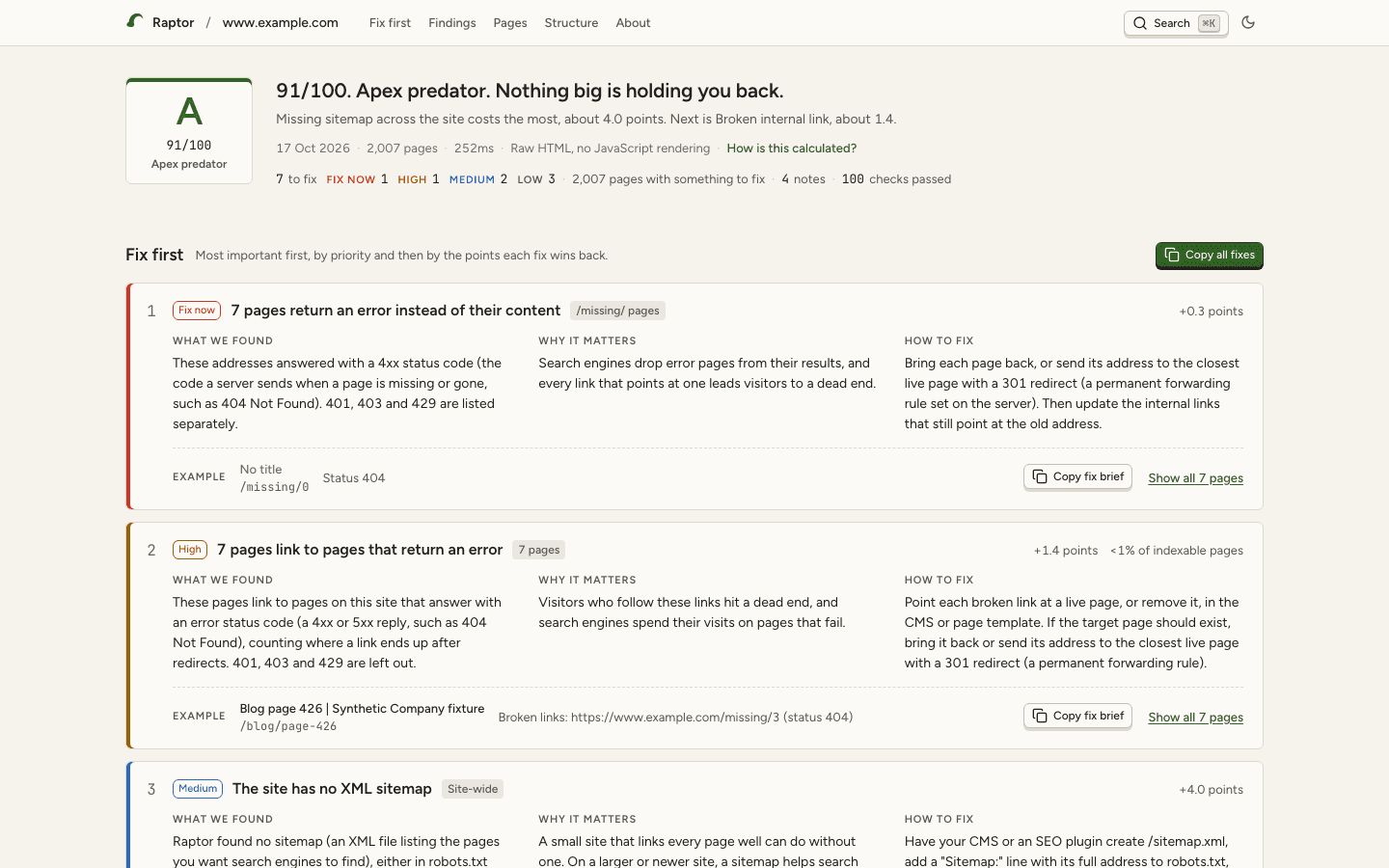
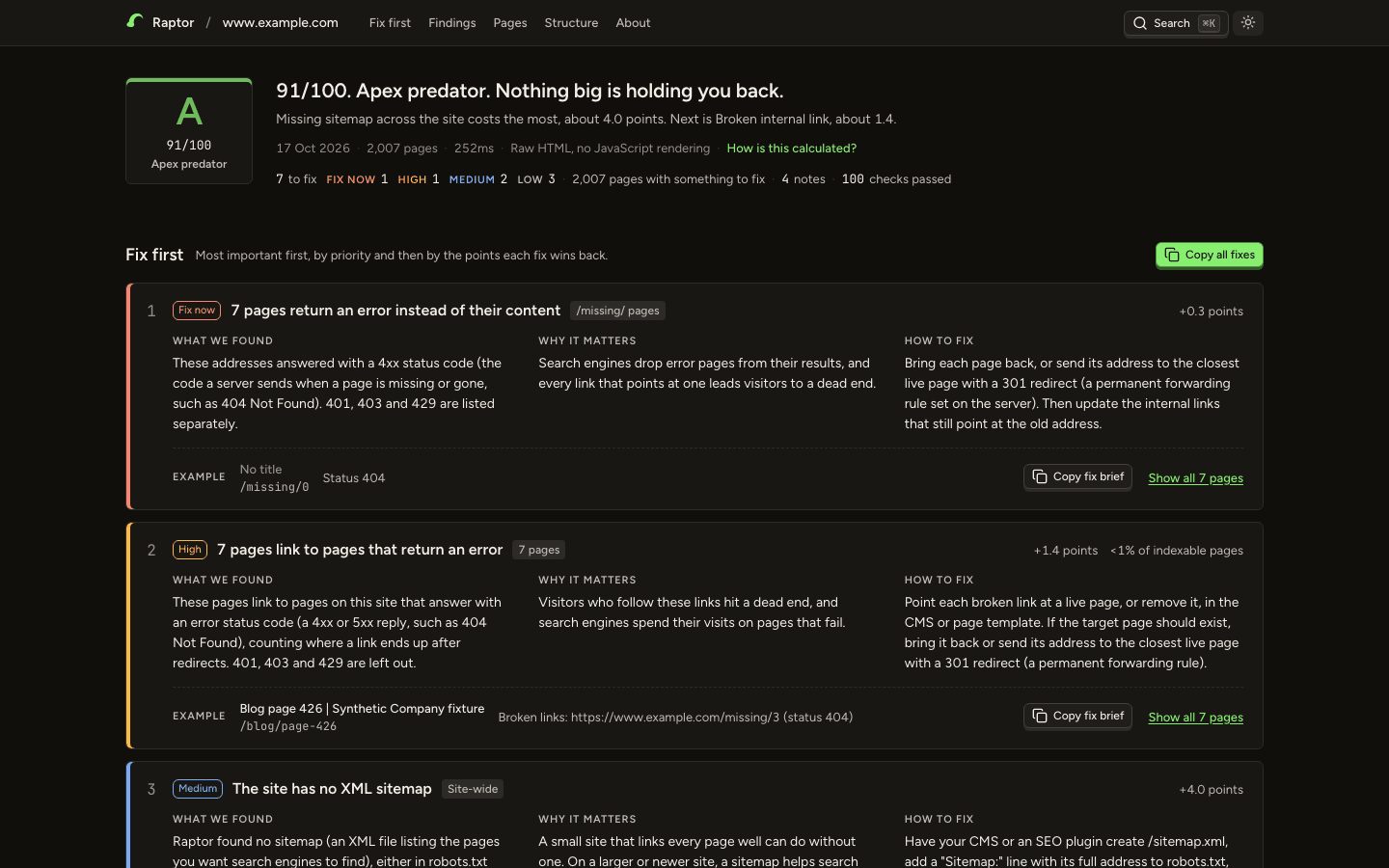
The report from Raptor’s README: a synthetic 2,007-page fixture on www.example.com. The screenshot follows your theme; so does the report.
- 1
The grade
A letter, the score out of 100 and its name, then one sentence on what costs the most points.
- 2
Fix first
Up to six cards, most important first: what we found, why it matters, how to fix it, and a real example page.
- 3
Copy fix brief
Copies the finding as a short Markdown task to paste into Claude Code, Linear, Jira or an email.
- 4
Search with ⌘K
Finds any finding or page. j and k move through the list; Esc closes.
- Every page, nothing left out
- A 20,000-page crawl makes a report of about 6 MB that opens in well under a second.
- Your name on it
- Add your agency’s name, logo, colour and contact line with a small
brand.toml.
Ask, don’t dig
Connect Raptor to Claude, or any MCP client, and talk to it. Findings come back ranked, with the fix, in words the model can pass straight on to you.
Connect it to Claude Code
One command, with the path to the binary you built.
$ claude mcp add raptor -- /full/path/to/target/release/raptor serve --mcpThen ask in plain English
- Crawl mysite.com, then tell me which pages Google can't index and why.
- Compare that against last month's crawl — did anything get worse?
- Which of my blog posts have no internal links pointing at them?
Where the panels show
Claude Desktop shows Raptor’s panels inline and full screen. VS Code, Cursor and Goose show them inline. Claude Code shows text, and its model reads the same facts from the digests.
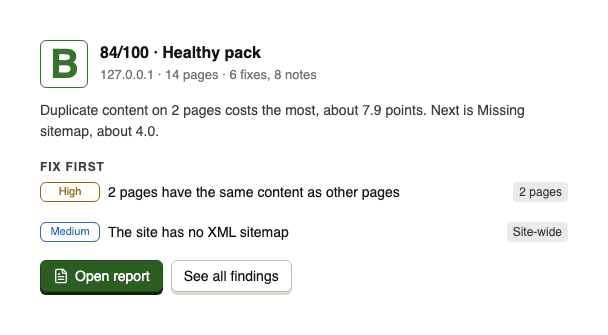
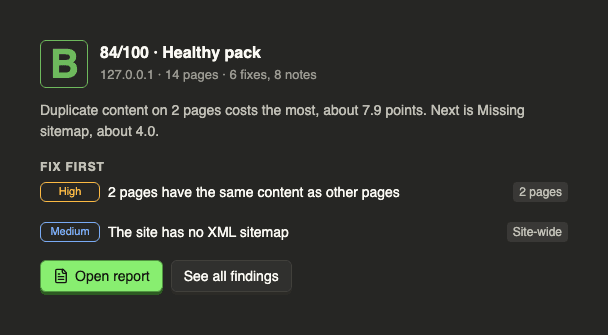
The site health panel for another repo fixture, Kestrel Bay Digital, from Raptor’s panel test harness.
The tools
Tool referenceAs the server lists them. A build with the Cloudflare feature adds a tenth, raptor_screenshot.
| Tool | What it’s for | Access |
|---|---|---|
raptor_crawlCrawl a site | Start a crawl. Returns a job id straight away. | Starts a job |
raptor_statusCrawl job status | Check a job and its live progress, or list recent jobs. | Read-only |
raptor_cancelCancel a crawl | Stop a crawl. The pages it already fetched are kept. | Changes a job |
raptor_summarySite health summary | The verdict: score, grade, what holds it back, the top fixes and the crawl's limits. | Read-only |
raptor_findingsFindings to fix | Every finding, ranked. With a check id, one finding in full with a fix brief. | Read-only |
raptor_queryQuery crawl results | Filter results by URL pattern, category and severity, a page at a time. | Read-only |
raptor_inspectInspect one page | Audit one page, straight away, with no job. | Read-only |
raptor_compareCompare two crawls | Score change, new and fixed problems, and whether two crawls are like for like. | Read-only |
raptor_link_graphInternal link graph | PageRank, orphans, hubs and silos. | Read-only |
Answers that stay small
Every list that grows with the crawl is capped, with the true total beside it. A 1,000-page summary is within 10% of the size of a 50-page one.
Hints the host can trust
Every tool says whether it reads, writes or reaches the web, so your client can run status polls without asking you each time.
A terminal that’s a pleasure to read
raptor crawl prints for whoever is reading: colour and live progress for a person, one fact per line for a pipe, CI or an agent, and JSON when you ask for it.
$ raptor crawl http://127.0.0.1:8001/ /// raptor crawl http://127.0.0.1:8001/ 3 workers · 250ms apart · up to 500 pages · depth 10 · obeys robots.txt ● robots.txt: 2 rules warning: Got 429 for http://127.0.0.1:8001/rate-limited, retrying in 0ns (attempt 1/2) warning: Got 429 for http://127.0.0.1:8001/rate-limited, retrying in 0ns (attempt 2/2) warning: Got 503 for http://127.0.0.1:8001/unavailable, retrying in 0ns (attempt 1/2) warning: Got 503 for http://127.0.0.1:8001/unavailable, retrying in 0ns (attempt 2/2) warning: Max redirect hops (5) reached for http://127.0.0.1:8001/loop-a ✗ /drop — connection closed before a response (connection closed before message completed) ✓ Fetching pages: 16 pages, 1 error 6.3s ✓ Reading sitemaps 0ms ✓ Analysing: 16 pages 2ms ✓ Saving: JSON and HTML report 3ms ✓ Hunt complete. 16 pages tracked down in 6.3s. F 40/100 · Fossilised ──────────────────────────────────────────────────────────────────────────── Badly wounded. Start at the top of the list. Page error (4xx) on 3 pages costs the most, about 18.8 points. Next is Server error (5xx), about 12.5. FIX FIRST 19 to fix · 7 notes 1 FIX NOW 3 pages return an error instead of their content 3 pages · +18.8 Bring each page back, or send its address to the closest live page with a 301 redirect (a permanent forwarding rule set on the server). Then update the internal links that still point at the old address. e.g. /gone Check: response_codes.internal_client_error 2 FIX NOW 2 pages fail with a server error 2 pages · +12.5 Look up each address in the server's error log to find what fails, then fix the code, plugin or server setting behind it. If you cannot find the cause, send the list of addresses to your developer or host. e.g. /server-error Check: response_codes.internal_server_error 3 FIX NOW 1 address redirects in a loop 1 URL · +6.3 Correct the redirect rules in your server, CDN or CMS settings so each address forwards once, straight to a page that loads. Then point links at that final address. e.g. /loop-a Check: response_codes.internal_redirect_loop 4 FIX NOW 1 page both allows and blocks listing in search results 1 page · +6.3 Make the robots meta tag in the page template and the X-Robots-Tag header in the server settings agree. Remove noindex from both on any page you want in search results. e.g. /conflicting-directives Check: directives.conflicting_directives 5 HIGH 1 page shows an error message but reports success 1 page · +3.4 Make each missing page return a real 404 or 410 status code (the server's reply that a page is gone) from the server or CMS, or send its address to the closest live page with a 301 redirect (a permanent forwarding rule). If the page is real, rewrite the text that reads like an error. e.g. /soft-404 Check: content.soft_404 + 21 more findings in the report. LIMITS 1 URL could not be fetched, for example because of a timeout or a refused connection, and went unchecked. REPORT crawl-127.0.0.1-2026-10-17.html DATA crawl-127.0.0.1-2026-10-17.json NEXT Some URLs did not load; a slower crawl may help: --concurrency 1 --delay 1000$
The real output for the repo’s broken fixture. The crawl itself took 6.3 s, because Raptor waits 250 ms between requests by default; the replay compresses that and says so.
Piped, in CI, or run by an agent
The same crawl through a pipe: no colour, no animation, the verdict first, full URLs and absolute paths. Raptor notices when Claude Code or another agent is running it and switches by itself.
raptor 0.3.0 crawl http://127.0.0.1:8001/
result: ok (exit 0)
crawl: Crawl complete: 16 pages in 6.3s.
headline: 40/100: Critical. Start at the top of the list.
grade: F 40/100 (Critical)
why: Page error (4xx) on 3 pages costs the most, about 18.8 points. Next is Server error (5xx), about 12.5.
findings: 19 to fix, 7 notes; 85 checks passed
fix first:
1. Fix now · response_codes.internal_client_error · 3 pages return an error instead of their content
   reach: 3 pages; points: +18.8
   fix: Bring each page back, or send its address to the closest live page with a 301 redirect (a permanent forwarding rule set on the server). Then update the interna…
   example: http://127.0.0.1:8001/gone
Exit codes mean something
The same table for every command, so a script can tell what happened.
| Code | Meaning |
|---|---|
| 0 | It worked. Findings never fail a run on their own. |
| 1 | Runtime error: an unwritable path, a failed request. |
| 2 | Usage error: an unknown flag, or a URL without https://. |
| 3 | Nothing to grade: unreachable, blocked by robots.txt, or every page an error. |
| 4 | A quality gate failed (--min-score, --fail-on). |
| 130 | Interrupted with Ctrl-C. What was crawled is saved. |
Where your links send their weight
raptor link maps how your pages link to each other and runs PageRank over it, the same idea Google was built on, to show which pages your own site treats as most important. It reads the crawl you already have and fetches nothing.
- /tents0.0680
- /backpacks0.0676
- /sleeping-bags0.0676
- /journal0.0676
- /0.0673
- /about0.0669
- /delivery0.0669
- /sale0.0669
- /returns0.0669
- /privacy0.0669
- /terms0.0669
- /contact0.0669
- /en-us0.0669
- /waterproofs0.0109
- /backpacks/trail-300.0099
- /backpacks/ridge-450.0099
- /sleeping-bags/down-6000.0099
- /sleeping-bags/summer-2000.0099
- /journal/storm-shell-review0.0099
- /journal/pitching-in-the-rain0.0099
- /tents/ridgeline-20.0094
- /tents/basecamp-40.0094
- /tents/?sort=price0.0094
- /tents/?colour=green0.0094
- /waterproofs/storm-shell0.0064
- /waterproofs/ridge-trousers0.0064
- /products/storm-shell0.0064
The privacy policy has about 6 times the internal authority of the waterproofs category: 0.0669 against 0.0109. Every page links to the footer pages, and the menu leaves waterproofs out, so 25 pages link to /privacy and 3 link to /waterproofs. This is the kind of thing nobody sees on a single page and the graph shows at once.
It reports orphans, hubs, silos and connected components too. An orphan means nothing in this crawl links to it, and the docs say so: PageRank here is relative internal authority within one crawl (damping 0.85, 40 iterations), not Google’s, and it knows nothing about links from other sites.
/// raptor link crawl-127.0.0.1-2026-10-17.json 27 nodes · 341 edges · 1 component · avg out-degree 12.6 TOP PAGES BY INTERNAL AUTHORITY (PAGERANK) 1 0.0680 http://127.0.0.1:8006/tents (25 in / 16 out) 2 0.0676 http://127.0.0.1:8006/backpacks (25 in / 14 out) 3 0.0676 http://127.0.0.1:8006/sleeping-bags (25 in / 14 out) 4 0.0676 http://127.0.0.1:8006/journal (25 in / 14 out) 5 0.0673 http://127.0.0.1:8006/ (25 in / 13 out) 6 0.0669 http://127.0.0.1:8006/about (25 in / 12 out) 7 0.0669 http://127.0.0.1:8006/delivery (25 in / 12 out) 8 0.0669 http://127.0.0.1:8006/sale (25 in / 12 out) 9 0.0669 http://127.0.0.1:8006/returns (25 in / 12 out) 10 0.0669 http://127.0.0.1:8006/privacy (25 in / 12 out) 11 0.0669 http://127.0.0.1:8006/terms (25 in / 12 out) 12 0.0669 http://127.0.0.1:8006/contact (25 in / 12 out) 13 0.0669 http://127.0.0.1:8006/en-us (25 in / 12 out) 14 0.0109 http://127.0.0.1:8006/waterproofs (3 in / 15 out) 15 0.0099 http://127.0.0.1:8006/backpacks/trail-30 (1 in / 13 out) 16 0.0099 http://127.0.0.1:8006/backpacks/ridge-45 (1 in / 13 out)
The first lines of the terminal output. The chart plots every page, from the same command with --json.
The rest of the kit
Fix briefs to hand on, sitemaps built from what is really indexable, quality gates for CI and a REST API. Every example below is real output from the Fernhollow crawl in the demo.
Fix briefs you can hand on
Copy fix brief in the report, or raptor_findings with a check id over MCP, gives one finding as a Markdown task for a developer, a ticket or another agent. --csv writes one row per page for the spreadsheet.
## 1 page both allows and blocks listing in search results

`directives.conflicting_directives` · Fix now · 1 page

**What we found:** These pages give robots rules (instructions for search engines) in both a meta tag and an X-Robots-Tag header, and together the two say both index (list this page) and noindex (do not list it).

**Why it matters:** Search engines obey the stricter rule, so these pages are likely to be left out of search results.

**How to fix:** Make the robots meta tag in the page template and the X-Robots-Tag header in the server settings agree. Remove noindex from both on any page you want in search results.

**Example:** "Waterproof Jackets and Trousers | Fernhollow" http://127.0.0.1:8006/waterproofs/
> Meta robots: [index, follow], X-Robots-Tag: noindex

**Affected pages (1):**
- http://127.0.0.1:8006/waterproofs/ — Meta robots: [index, follow], X-Robots-Tag: noindex
Sitemaps from what is actually indexable
raptor sitemap lists the pages search engines may index: 2xx HTML without noindex. From this crawl that is 22 of 27 pages: the noindexed category, the dead address, the redirects and the filter pages that name /tents/ as canonical are left out. Past 50,000 URLs it writes a sitemap index, and with nothing to list it writes nothing rather than an empty file.
✓ Wrote sitemap.xml

<?xml version="1.0" encoding="UTF-8"?>
<urlset xmlns="http://www.sitemaps.org/schemas/sitemap/0.9">
  <url>
    <loc>http://127.0.0.1:8006/</loc>
  </url>
  <url>
    <loc>http://127.0.0.1:8006/about/</loc>
  </url>
  <url>
    <loc>http://127.0.0.1:8006/backpacks/</loc>
  </url>
  …
Quality gates for CI
--min-score and --fail-on fail the run with exit code 4 when a site gets worse. Notes never fail a run, and a site that cannot be reached exits 3 before any gate, so it never passes by accident.
{"schema":"raptor.crawl-summary/1","result":"quality_gate_failed","exit_code":4,
  {"gate":"min_score","status":"failed","detail":"score 79 is below --min-score 80"}
  {"gate":"fail_on","status":"failed","detail":"3 findings at Fix now priority or more urgent (--fail-on fix-now)"}
  …}

$ echo $?
4
A REST API
raptor serve listens on 127.0.0.1:3001, shares one job store with the MCP server and fires webhooks when a job finishes. Auth is off until you set RAPTOR_API_KEY.
{"created_at":"2026-10-17T13:37:03.246031+00:00","domain":"127.0.0.1","id":"58d6061f-722e-4aaf-a340-adc293501cb5","status":"queued","type":"crawl"}"status": "completed",
"result_summary": {"grade": "C", "health_score": 79, "pages_crawled": 27,
"findings_count": 17, "to_fix": 13, "duration_ms": 7102, …}Runs on your machine
A single Rust binary. Free and MIT-licensed, with no account and no upload. Your client's data never leaves your laptop.
- No account, no subscription, no telemetry.
- Nothing is sent anywhere. There is nothing to sign up for.
- Reports work offline.
- The HTML report loads no fonts, scripts or trackers from the internet, so it tells no one you opened it.
- Credentials stay out of your reports.
- They are stored outside your working directory, so they can't be committed by accident.
- It won't crawl your private network.
- The server refuses internal addresses by default, so pointing it at something can't become a way in.
- Third parties only when you ask.
- Cloudflare rendering and Google PageSpeed are opt-in, and the Cloudflare code isn't compiled into the default build.


robots.txt put up a fence. We respect fences.
Polite by default: Raptor waits between requests and obeys robots.txt. When a site says no, it stops, says why, and grades nothing. Please crawl only sites you own or have permission to audit.
✗ robots.txt put up a fence. We respect fences. robots.txt disallows http://127.0.0.1:8005/ for this user agent. Nothing was crawled. LIMITS robots.txt (the site's file of crawling rules) blocked 1 URL, which Raptor did not check. DATA crawl-127.0.0.1-2026-10-17.json NEXT robots.txt blocks this crawl. To audit anyway (not
The end of a real crawl of the repo’s robots-blocked fixture. It exits 3.
Install it
Raptor isn't on Homebrew or crates.io yet, so you build it from source, and its public repository isn't open yet. These are the steps for when it is. You'll need Rust; its installer is one command and takes a couple of minutes.
- 1
Get Rust from rustup.rs
Stable Rust, rustc 1.88 or newer.
- 2
Build it
In a checkout of the repository:
Shell$ cargo build --releaseThat makes the program at
target/release/raptor. - 3
Put it on your path
Shell$ cp target/release/raptor ~/.local/bin/ - 4
Run your first audit
Shell$ raptor crawl https://example.com/It writes
crawl-example.com-<date>.html, the report to read or send, and the same data as.json. Add--csvfor a spreadsheet. Then connect it to Claude.


Fresh install, nothing crawled yet. This is what raptor on its own shows you.
/// raptor 0.3.0 Crawl a site, grade it, and see what to fix first. START raptor crawl <url> raptor inspect <url> raptor link <crawl.json> raptor serve --mcp RECENT CRAWLS No crawls yet. Try: raptor crawl https://example.com raptor --help lists every command and option.
Open source, and keen to be told it’s wrong
Raptor is MIT-licensed. Bug reports are welcome, and the most valuable one is a false positive: a check that flags something that isn’t actually a problem is the worst failure an audit tool can have. The ones found so far all came from running it against real sites.
The public repository isn’t open yet. When it is, the source, the issues and the releases live there.
- ChangelogEverything that changed, release by release.
- RoadmapWhat’s next, and what’s still being decided.
- Reference docsEvery command, check, threshold and MCP tool.