

A report you'd send to a client
Every crawl writes one HTML file: the grade and why, what to fix first in plain words, and every page each problem is on. It loads nothing from the network, so it's safe to email. This is the real one from the Fernhollow crawl. Take the tour, or just use it.
1 of 9The answer first
The grade, the score and its name, then one sentence on what costs the most: a page that returns 404 and a canonical that points at it, about 3.7 points each. The counts follow: 13 findings to fix on 12 pages, 4 notes, 94 checks passed.
The file Raptor 0.3.0 wrote on 17 Oct 2026 for Fernhollow Outdoor, a test shop built for this site, unchanged apart from its name. It follows this site’s light or dark theme. Everything in it works here as it would on your machine, from the filters to the exports.
Your agency's name on it
Put your name, logo, colour and contact line on every report with one small file. The crawls the REST API and the MCP server run use it too.


The same crawl twice, captured from the two files Raptor wrote. Kestrel Bay Digital is fictional, the agency from Raptor’s own canonical-variants test site, and its .example addresses reach no one.
# Kestrel Bay Digital is fictional. .example addresses reach no one.
agency_name  = "Kestrel Bay Digital"
logo         = "logo.svg"
accent       = "#8A3B12"
accent_dark  = "#F0A877"
contact_line = "Questions about this audit? audits@kestrelbay.example"
contact_url  = "https://kestrelbay.example/contact"
voice        = "raptor"
mascot       = true
$ raptor crawl https://example.com/ --brand brand.tomlWhat your colour changes
Links, the main button and the keyboard focus ring. The green that marks a passing check or a healthy score stays Raptor’s, so it means the same in every report. Each theme is checked on its own: an accent that can’t reach 4.5:1 contrast, the WCAG level for text, keeps Raptor green on that theme.
What stays
“Made with Raptor” and the small Raptor mark in the footer. The panels Claude shows in a conversation keep Raptor’s look too, because the apps that host them don’t allow logo headers; they follow your voice and mascot settings.


A wrong file stops the crawl, before a single page
A report with half a client’s brand on it is worse than none, so Raptor checks the file first and names the key. It reads an SVG logo the way a browser would and refuses one that could run code or load anything. Only a colour too faint to read is a warning. Three real runs:
error: ./not-a-colour.toml: accent: "green" is not a #RRGGBB colourexit 1, nothing crawlederror: ./script-logo.toml: logo: ./script-logo.svg has an inline onload handlerexit 1, nothing crawledwarning: brand.toml: #C8E6C9 reaches only 1.21:1 against the light background #F6F3ED, below the 4.5:1 text needs, so the light theme uses Raptor greenexit 0, the crawl carries onPrints as a clean summary
Save as PDF from your browser and the report lays itself out for paper: the header, the grade, Fix first in full, one line for every other finding and note, the crawl's limits and the footer. Buttons, filters, Pages and Structure stay on screen, and it always prints light, whatever theme you read it in.
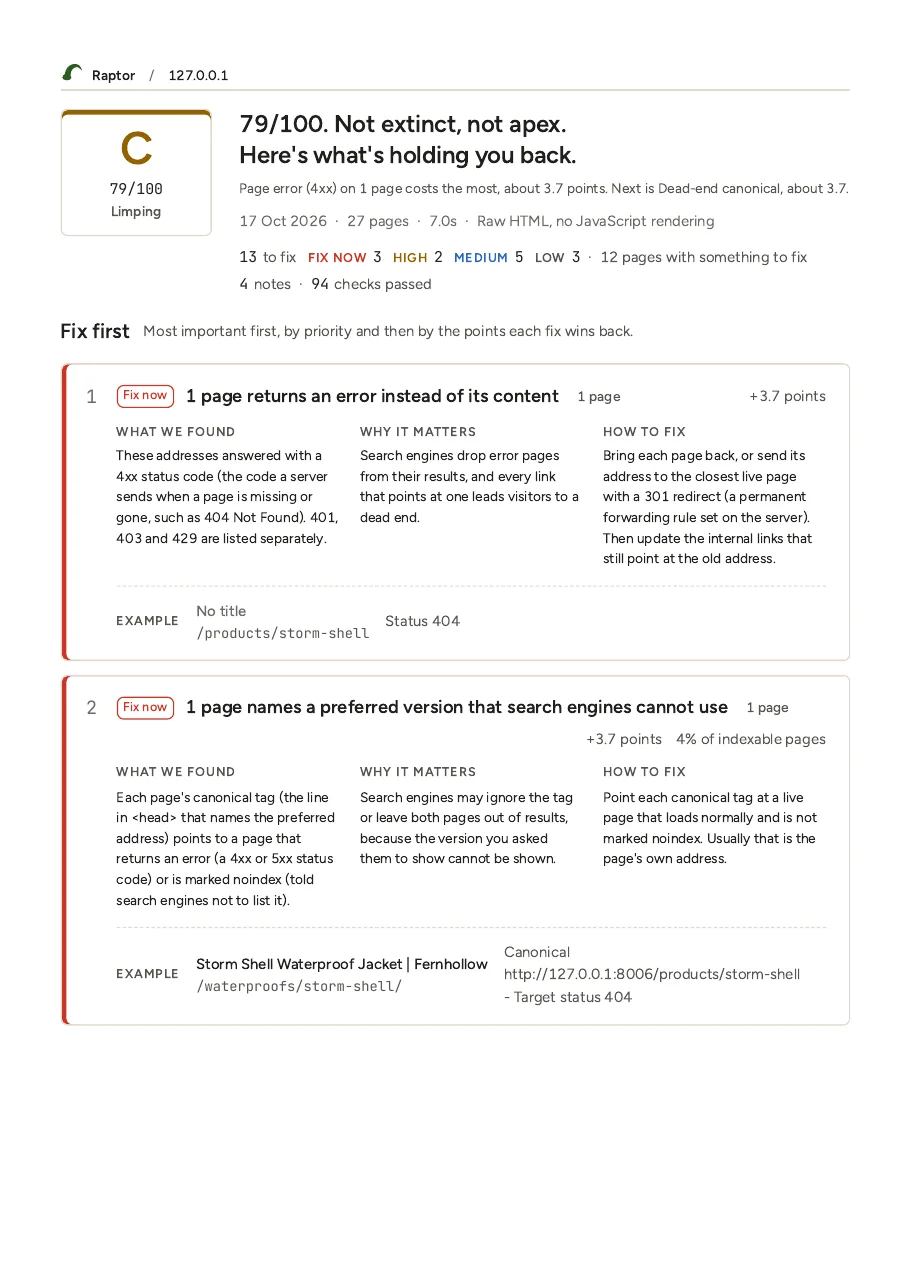
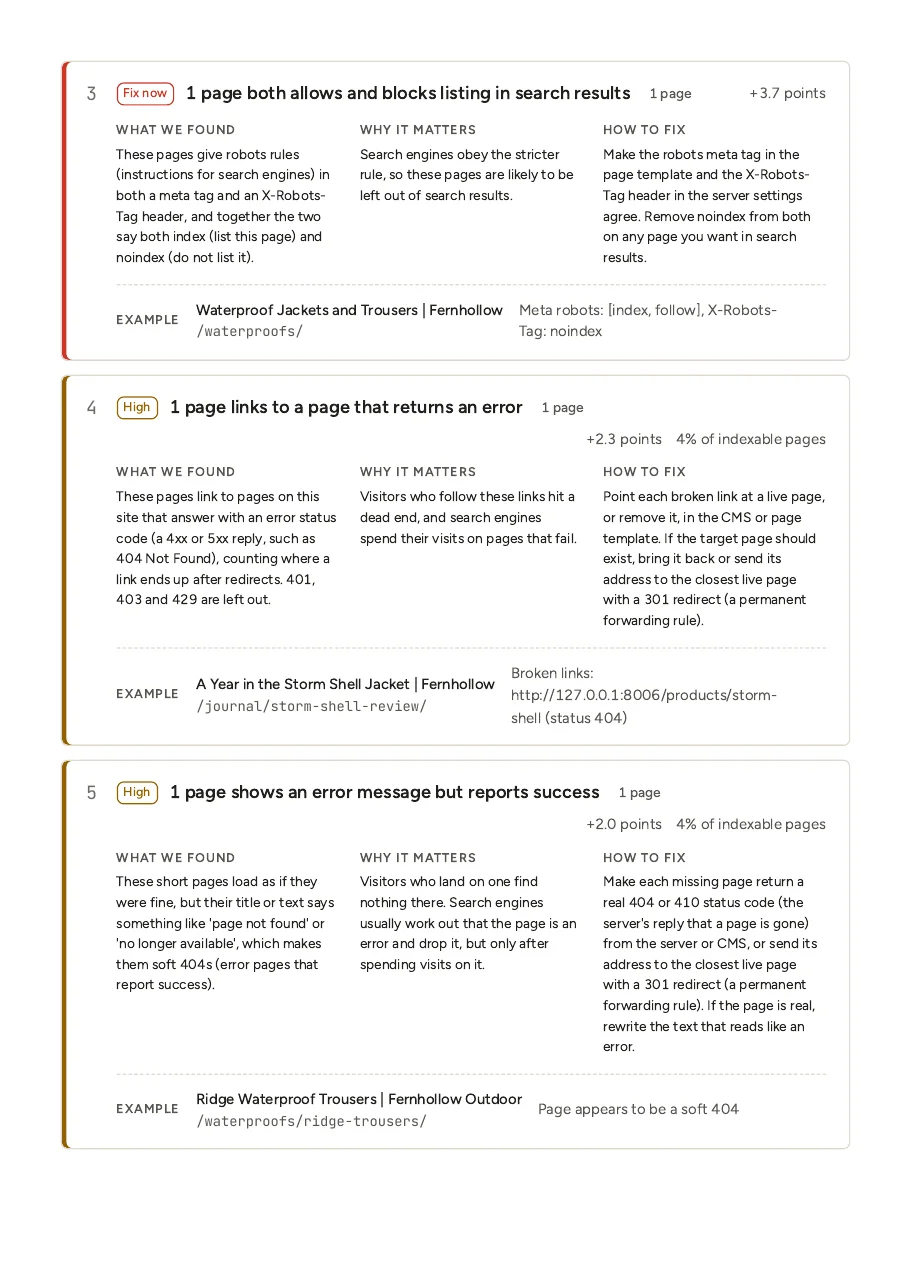
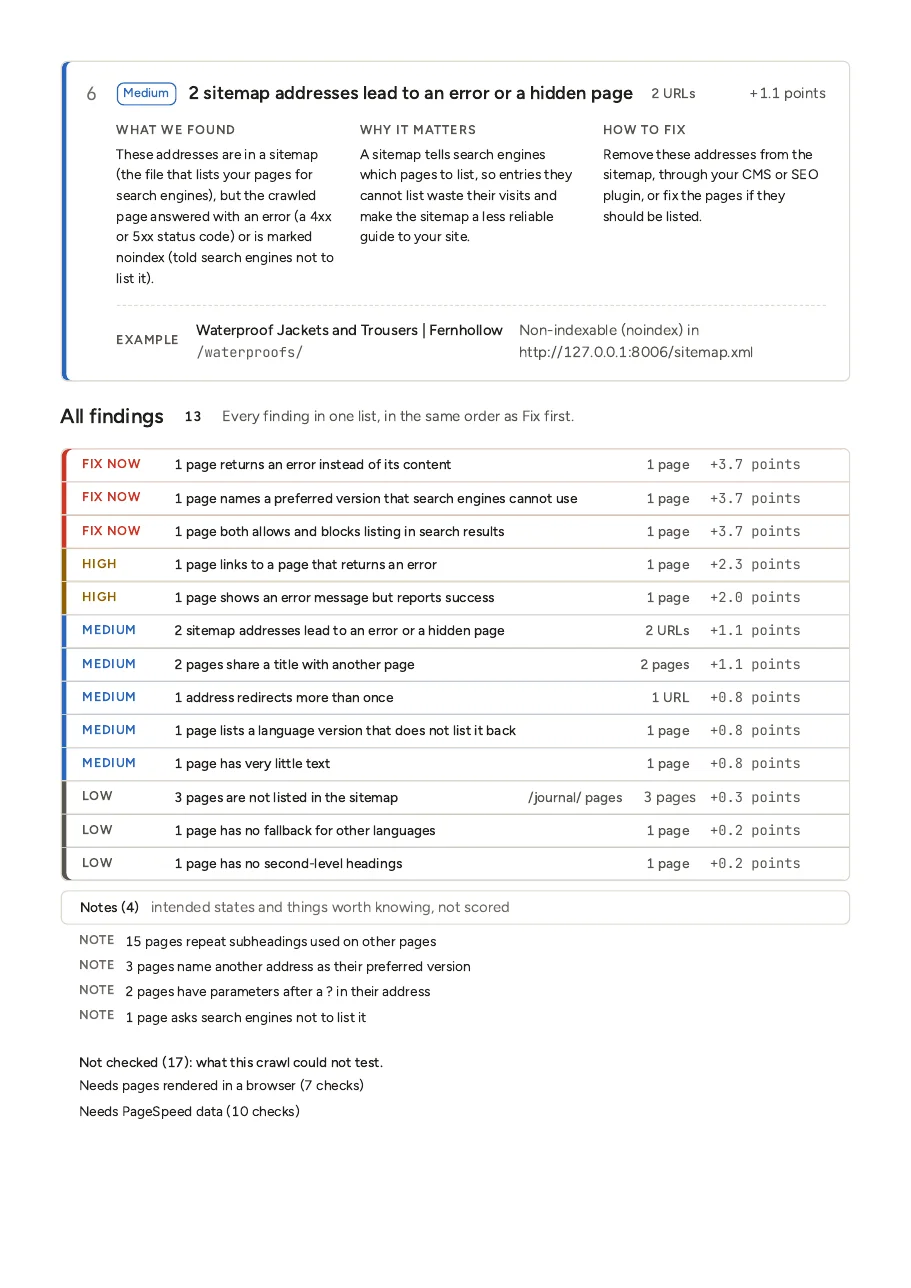
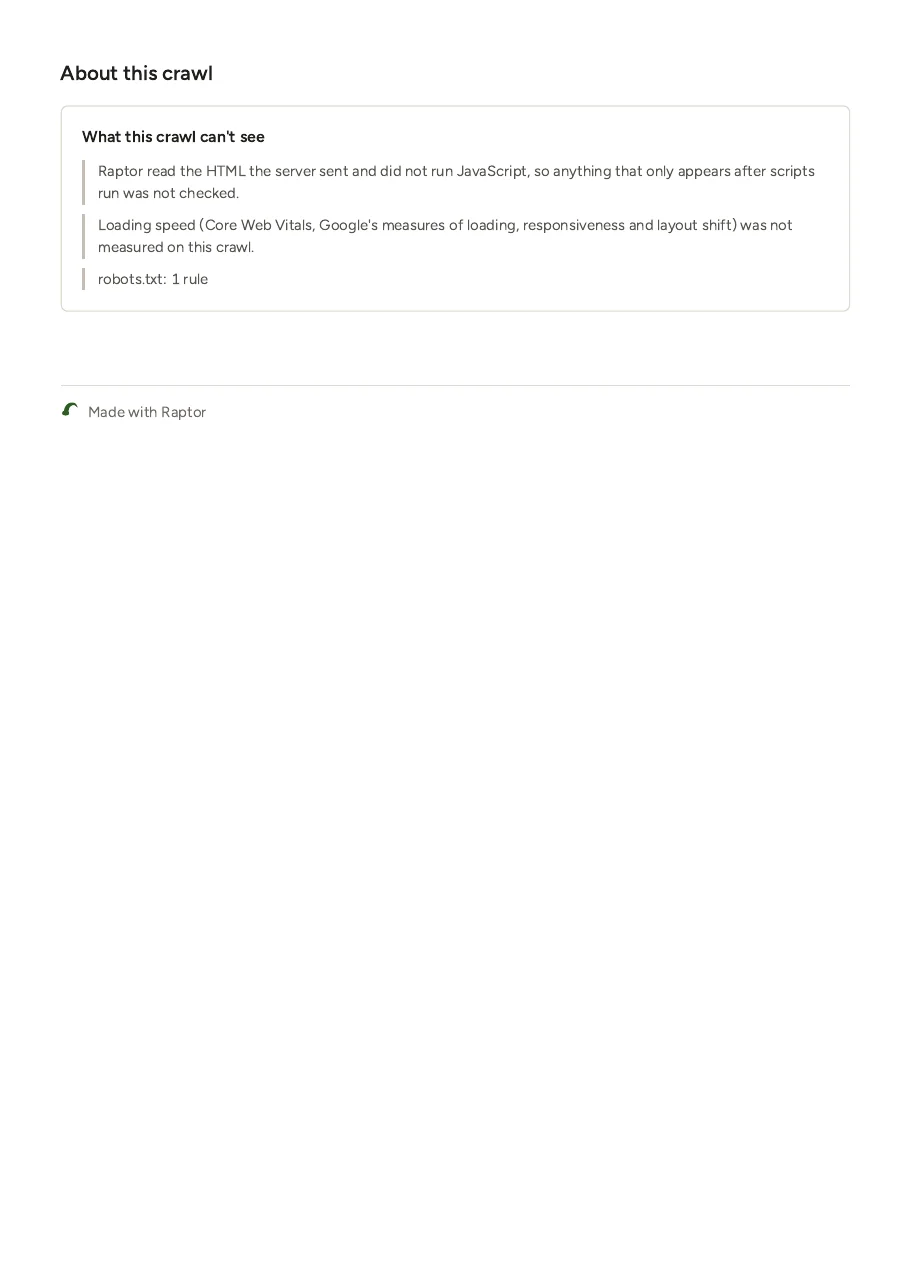
The Fernhollow report printed from Chromium to A4, with the browser in dark mode and background graphics off, the print dialog’s default. Open the PDF (214 KB, 4 pages).
One file, and it calls no one
The fonts and the data are inside the file. It works offline, it's safe to attach to an email, and opening it tells no one you did.
Every request the report made
We opened it in Chromium, let it settle, scrolled it, and logged every request. This is the whole list.
| Method | Address | Status | Type |
|---|---|---|---|
| GET | /demo/reports/fernhollow.html | 200 | the file itself |
Its own security policy
The report carries a Content-Security-Policy that lets only its own two scripts run and loads nothing from the network, so text copied from a crawled page can never act as code. A report downloaded from the REST API gets a stricter one that blocks scripts too; the first screen and every finding still read in full.
default-src 'none';
script-src 'sha256-4PatMwXmpHr31ooiuGeXbc3xb7zd7wlgFqf6+Kfwy10=' 'sha256-w+3dmaR8qGcUS6OVS489CObhy707AeHB/1DpR833fFA=';
style-src 'unsafe-inline';
img-src data:;
font-src data:;
base-uri 'none';
form-action 'none'
Every page, at any size
The report holds every crawled page, with nothing left out, so a finding’s affected pages are always complete and the exports are exact. Only the per-page details are capped, at 100 per finding, and the report says when.
Raptor’s docs put a 20,000-page report at about 6 MB, up to about 9 MB when nearly every page has findings. It opens in well under a second, because the Pages table only builds the rows you can see. This one is 320 KB for 27 pages.
Point a colleague at one thing
Every finding and every page has its own link, and the keyboard reaches all of it.
| Key | What it does |
|---|---|
| ⌘K or Ctrl-K | Search findings and pages. It lists the first 8 findings and 12 pages that match and says how many more there are. Arrow keys move, Enter opens, Esc closes. |
j and k | Move down and up the findings list. Enter opens or closes the finding you are on. |
| Esc | Close search or the page panel. |
Try them on this report
#finding= takes a check id and #page= an address. Each opens in a new tab.
- fernhollow.html#finding=directives.conflicting_directivesOpens the finding where the meta tag and the header disagree.
- fernhollow.html#finding=sitemaps.non_indexable_in_sitemapOpens the two sitemap addresses that can't be listed.
- fernhollow.html#page=/waterproofs/Opens the Waterproofs page's panel.
Write one for your own site
Raptor builds from source for now. Then one command writes the report beside the crawl's JSON, named for the site and the day.
$ raptor crawl https://example.com/That writes crawl-example.com-<date>.html. Or ask Claude to crawl it and read you the findings, with Raptor’s MCP server.